
How to Convert SRW to JPG in 3 Easy Steps
Follow these three simple steps to convert Samsung SRW photos to JPG. No software installation required. Free and secure.

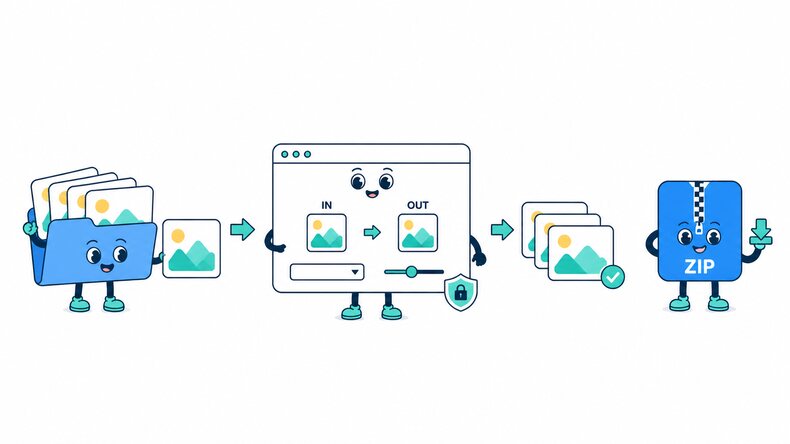
Add Samsung SRW Photos
Select SRW files from your device, choose a folder, or drag and drop photos into the browser.

Check the JPG Settings
JPG is selected by default. Adjust the quality if needed to balance image detail and file size.

Convert and Download
Start converting, preview the JPG photos, and download them individually or together as a ZIP file.
How Does the SRW to JPG Converter Work?
The CompressFly SRW to JPG converter tries to read supported Samsung SRW camera files directly in your browser and renders the decodable photograph as a JPG. SRW files from different Samsung camera and NX-series models can contain different RAW structures and preview images. If the full camera data is not supported, the output may be created from an embedded preview instead.
Keep the SRW source if you may need additional RAW adjustments or Samsung-specific rendering later. Inspect the JPG dimensions, rotation, color, noise, and fine detail before relying on the converted photo. Processing happens locally, individually or in bulk, without a server upload or account.
What "in your browser" means
- Your SRW files are not uploaded to a server
- Samsung SRW photos are converted on your device
- Completed JPGs are downloaded directly from your browser
Bulk SRW to JPG Converter
Convert 300+ Samsung SRW photos to JPG in one batch. Add files from your device or select a folder of SRW photos, apply the same JPG quality setting, and preview the results. Download the completed photos together as a ZIP file.
Convert your Samsung RAW collection directly in the browser for free, with no signup, credit card, or software installation required.
Why Use CompressFly to Convert SRW to JPG?
Fast SRW to JPG Conversion
Convert Samsung SRW photos locally without waiting for large camera files to upload to a server.
Batch Samsung Photo Conversion
Convert 300+ SRW files to JPG at once and download the completed images in a ZIP file.
No Software Installation
Convert SRW photos in your browser without installing Samsung camera software or a desktop RAW editor.
Free Access
Use the SRW to JPG converter for free without signing up or entering credit card details.
Preview Before Downloading
Check each converted Samsung photo and its JPG file size before saving it to your device.
Private & Secure
Your Samsung SRW files are processed locally in your browser and are not uploaded to a server.
Related RAW Conversion Tools
SRW to JPG Converter FAQ
How do I convert SRW to JPG online?
Convert Samsung SRW photos in three steps: 1. Add your SRW files or select a folder. 2. Keep JPG selected, adjust the quality if needed, and start the conversion. 3. Preview the JPG images and download them individually or together as a ZIP file.
Is the SRW to JPG converter free?
Yes. CompressFly converts SRW files to JPG for free, with no registration or credit card required.
What is an SRW file?
SRW is a RAW photo format used by Samsung digital cameras, including models in the NX series. It contains camera image data for processing in compatible software, rather than a ready-to-view JPG image.
Can I convert SRW to JPG without Samsung software?
Yes. Supported SRW files can be converted directly in your browser. You do not need to install Samsung camera software or a desktop RAW editor.
Can I convert multiple SRW photos at once?
Yes. Add 300+ supported SRW photos or select a folder, apply the same JPG quality setting, and download the completed photos together as a ZIP file.
How to convert SRW to JPG without losing quality?
Choose the highest possible output quality setting.
Is there a file size limit, and are my Samsung SRW photos uploaded?
Your Samsung SRW photos are processed locally in your browser and are not uploaded to a server, so there is no server upload limit. The practical limit depends on your device's available memory and processing power, especially for very large images or batches.