
How to Compress SVG Files Online in 3 Easy Steps
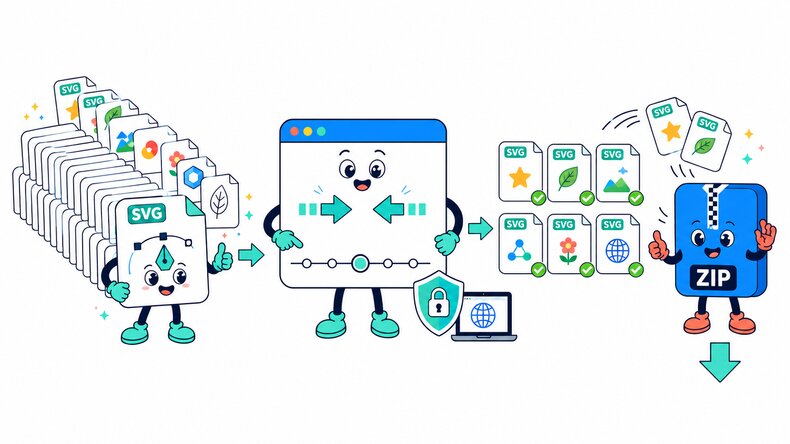
This online SVG compressor reduces SVG file sizes individually or in bulk without converting vector artwork into bitmap images. Adjust SVG precision, review the result, and download scalable SVG output.

Choose SVG Files
Select SVG files from your device, choose a folder, or drag and drop multiple vectors into the browser.

Set SVG Precision
Choose a precision from 2 to 5, then start compression. Lower values can create a smaller SVG, while higher values retain more decimal detail in paths and coordinates.

Review and Download
Preview the optimized SVG, then download one file or save all compressed SVG files in a ZIP file.
How Does the SVG Compressor Work?
The CompressFly SVG compressor reduces file size directly in your browser by optimizing SVG markup and numeric precision. The output remains in SVG format, so icons, logos, and illustrations stay scalable. Your files are processed locally, individually or in bulk, and are not uploaded to a server.
What "in your browser" means
- No SVG files are sent to a server
- No remote copy of your SVG files is stored
- SVG optimization runs locally on your device
- Compressed SVG files are downloaded directly from your browser
Free Bulk SVG Compressor Online
Compress 300+ SVG files at once with our free bulk SVG compressor. Apply the same precision setting to the entire batch, preview the optimized results, and download all completed SVG files in a ZIP file.
Optimize icons, logos, illustrations, and web graphics individually or in bulk directly in your browser. Your SVG files remain on your device and are not uploaded to a server, with no signup or software installation required.
Why Use CompressFly to Compress SVG Files Online?
Vector-Preserving Optimization
Reduce SVG file size without flattening scalable vector artwork into a raster image.
Cleaner SVG Markup
Remove avoidable markup that adds file weight without changing the intended vector appearance.
Batch SVG Compression
Compress 300+ SVG files at once and download the completed batch in a ZIP file.
Preview Before Download
Review the optimized SVG before downloading the final vector file.
Private & Secure
Your SVG files remain on your device. Optimization runs locally in your browser, with no uploads to a server.
Free Access
Use the free SVG compressor without signing up, installing software, or entering credit card details.
Related SVG Tools
Free SVG Compressor FAQ
How do I compress SVG files online?
Use this online SVG compressor in three steps: 1. Upload or drag and drop your SVG files. 2. Choose an SVG precision from 2 to 5, then click “Compress.” 3. Preview the results and download each SVG individually or download the completed batch as a ZIP file.
Is CompressFly’s SVG compressor free?
Yes. It’s free to use, with no daily limits or watermarks. No account or credit card is required.
Does compressing an SVG reduce its visual quality?
SVG compression keeps the output in scalable vector format, but lower precision can slightly change very fine coordinates. Preview complex SVG files before downloading.
Does the SVG compressor convert vectors to raster images?
No. The output remains in SVG format, so the artwork keeps its vector paths, shapes, and scalability.
What types of SVG files can benefit from compression?
Icons, logos, interface graphics, illustrations, and exported design assets can benefit when their SVG markup contains unnecessary or redundant data.
Can I compress SVG files in bulk?
Yes. Add SVG files individually or select an entire folder, optimize them together, then download results individually or save the completed batch as a ZIP file.
Are there any limits on SVG compression?
No. You can compress as many SVG files as you need, with no maximum file size or daily limits. Very large or complex SVG files and batches may take longer depending on your device.
Are my SVG files uploaded to a server?
No. SVG compression runs locally in your browser, so your files remain on your device and are not uploaded to a server.