
How to Flip an Image Online in 3 Easy Steps
Follow these three simple steps to flip images horizontally or vertically. No software installation required. Free and secure.

Choose Your Images
Select supported images from your device, choose an entire folder, or drag and drop multiple files into the browser.

Choose a Flip Direction
Select Flip Horizontally to swap left and right, or Flip Vertically to swap top and bottom.

Flip and Download
Click “Flip,” preview the flipped images, then download files individually or save the completed batch as a ZIP file.
How Does the CompressFly Image Flipper Work?
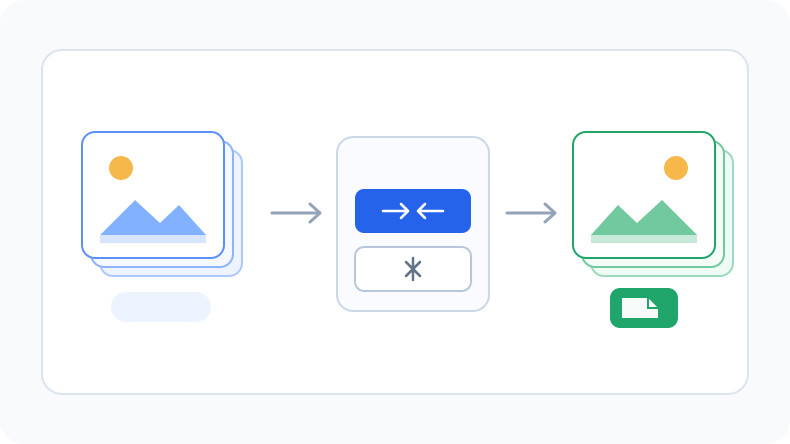
The CompressFly image flipper creates horizontally or vertically mirrored versions of JPG, JPEG, JFIF, PNG, WebP, AVIF, BMP, TIF, and TIFF images. A horizontal flip swaps the left and right sides, while a vertical flip swaps the top and bottom. Unlike online image tools that require file uploads, CompressFly processes images directly in your browser, individually or in bulk. Flip images for free with no signup required.
What "in your browser" means
- No image files are sent to a server
- Flipping runs locally on your device
- Flipped images are downloaded directly from your browser
Horizontal Flip vs. Vertical Flip
Horizontal and vertical flips reflect an image across different axes. Neither operation is the same as rotating the image.
Flip an Image Horizontally
Swap the left and right sides to create the familiar mirror-image effect. This is useful for mirrored selfies or reversing the visual direction of a composition.
Flip an Image Vertically
Swap the top and bottom sides by reflecting the image across a horizontal axis. This is useful for inverted reflections and symmetrical design effects.
When to Rotate Instead
Flipping reflects an image, while rotating turns it around a central point. Use the Rotate Image tool when a photo is sideways or needs a 90-degree or 180-degree turn.
Free Bulk Image Flipper Online
Flip 300+ supported images in one batch. Add images individually or select an entire folder, apply the same horizontal or vertical direction, preview the results, and download the completed images together as a ZIP file.
Bulk image flipping runs directly in your browser, so files are not uploaded to a server. No account, credit card, or software installation is required.
Why Use CompressFly to Flip Images Online?
Fast Image Flipping
Flip images directly on your device without waiting for files to upload to or download from a server.
Batch Image Flipping
Flip 300+ images with the same direction and download the completed batch as a ZIP file.
No Software Installation
Use the image flipper in your browser without installing desktop software or plugins.
Preview Before Downloading
Preview each flipped image and review its output file size before downloading.
Private & Secure
Your images are processed locally in your browser and are not uploaded to a server.
Free Access
Use the image flipper for free without signing up or entering credit card details.
Free Image Flipper FAQ
How do I flip an image online?
Flip an image online in three steps: 1. Select or drag and drop one or more supported images into the browser. 2. Choose Flip Horizontally or Flip Vertically. 3. Click “Flip,” preview the results, then download files individually or save the completed batch as a ZIP file.
What is the difference between flipping an image horizontally and vertically?
A horizontal flip swaps the left and right sides to create a mirror image. A vertical flip swaps the top and bottom sides by reflecting the image across a horizontal axis.
How do I create a mirror image of a photo?
Select the photo, choose Flip Horizontally, and click “Flip.” This swaps the left and right sides to create the familiar mirror-image effect.
Is flipping an image the same as rotating it?
No. Flipping reflects an image across an axis, while rotating turns it around a central point. Use the Rotate Image tool when a photo needs a 90-degree or 180-degree turn.
What image formats can I flip?
The image flipper supports JPG, JPEG, JFIF, PNG, WebP, AVIF, BMP, TIFF, and TIF files.
Can I flip multiple images at once?
Yes. Add 300+ supported images or select an entire folder, apply the same horizontal or vertical direction, then download the completed images individually or together as a ZIP file.
Is the image flipper free?
Yes. It is free to use, with no daily limits or watermarks. No account or credit card is required.
Are my images uploaded to a server?
No. CompressFly flips images directly in your browser, so the files are processed locally and are not uploaded to a server.
Can I flip an image on a mobile device?
Yes. Open the image flipper in a modern mobile browser, select an image from your device, choose a flip direction, and download the result.