
How to Resize an Image to 20KB in 3 Easy Steps
Resize image to 20KB or below with the target already selected. Add JPG, JPEG, PNG, and WebP images individually or in bulk, review the settings, and check the results before downloading.

Add Your Images
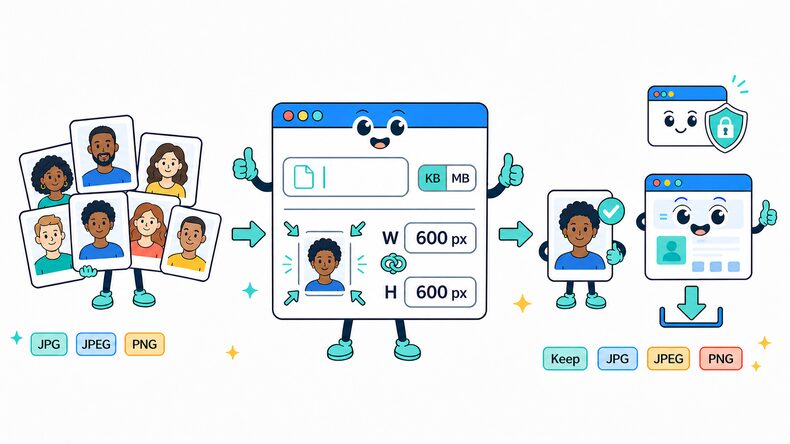
Select supported images from your device, choose an entire folder, or drag and drop multiple files into the browser.

Review the 20KB Target
The target is preset to 20KB. Keep it as provided or enter another KB or MB value, then retain the original format or choose JPG, JPEG, PNG, or WebP.

Compress and Download
Start compression, compare the result with the original, then download files individually or save the completed batch as a ZIP file.
What Does Compressing an Image to 20KB Mean?
Compressing an image to 20KB means reducing its file size to 20KB or below; it does not set a fixed width or height. The final size depends on pixel dimensions, file format, color detail, and how efficiently the image can be encoded.
Reaching such a small limit can require stronger compression, especially for large photographs or detailed graphics. The result may be smaller than exactly 20KB, so compare the preview and output size before downloading.
When to Use 20KB Images
A 20KB target is useful only when an upload field sets that exact ceiling. It works best for small, tightly cropped images; detailed photos may lose noticeable clarity.
Forms Capped at 20KB
Use this target when a government, examination, recruitment, or registration form rejects image files above 20KB.
Cropped Signatures
A signature with most of its empty background removed can often fit within 20KB while remaining readable.
Small ID Photos
Use 20KB for an ID photo only when the destination explicitly requires it, and check that the face remains clear after compression.
Simple Thumbnails
Icons and small previews with limited detail are better suited to this tight limit than full-size photographs.
Why Use CompressFly to Resize Images to 20KB Online?
Smart 20KB Image Compression
Resize image to 20KB or below while keeping as much visible detail as the selected file-size limit allows.
Local Browser Processing
Image compression runs directly in your browser for fast processing, with no software installation required.
Multiple Image Format Support
Compress JPG, JPEG, PNG, and WebP images while keeping the original format or choosing another supported format for the output.
Before-and-After Preview
Compare images before and after processing, then review output quality and file size before downloading.
Private & Secure
Your images never leave your device. All target-size compression happens locally, with no uploads to a server.
Free Access
Resize images to 20KB without signing up, installing software, or entering credit card details.
Related Image Size Tools
Resize Image to 20KB FAQ
How do I resize an image to 20KB?
Resize an image to 20KB in three steps: 1. Keep the preset 20KB target or enter another size, select KB or MB, and choose the output format. 2. Select or drag and drop one or more images, then start processing. 3. Review the results and download files individually or save the completed batch as a ZIP file.
Can I compress an image to 20KB for free?
Yes. Target-size compression is free, with no signup required. The finished size and processing time depend on your image and device.
Will compressing to 20KB affect image quality?
20KB is a tight limit for a photograph. Strong compression or smaller pixel dimensions can blur facial features, fine lines, and text. A tightly cropped signature or simple thumbnail is usually a better fit; check the preview at the size required by the form.
Is 20KB enough for a signature image?
It can be suitable for a tightly cropped signature when the form accepts images up to 20KB. File size alone does not meet every requirement: check the required width, height, format, and whether the signature strokes remain clear. Use the Crop Image tool to remove unused background first.
What image formats can I compress to 20KB?
You can add JPG, JPEG, PNG, and WebP images. Keep the original format or choose JPG, JPEG, PNG, or WebP for the compressed output.
Can I compress multiple images to 20KB at once?
Yes. Add images individually or select an entire folder, apply the same 20KB target, then download results individually or save the completed batch as a ZIP file.
How many images can I compress at once?
There is no limit on the number of images you can add. Actual batch capacity and processing speed depend on your computer’s available memory and performance, as well as image dimensions and file sizes. For more reliable processing, we recommend up to 300 images per batch.
Are my photos uploaded to a server during compression?
No. Image compression runs locally in your browser, so your files remain on your device and are not uploaded to a server.