
How to Resize an Image to KB or MB in 3 Easy Steps
Resize JPG, JPEG, PNG, and WebP images to a target file size in KB or MB without repeatedly adjusting quality settings. Enter the required limit, add images individually or in bulk, and review the results before downloading.

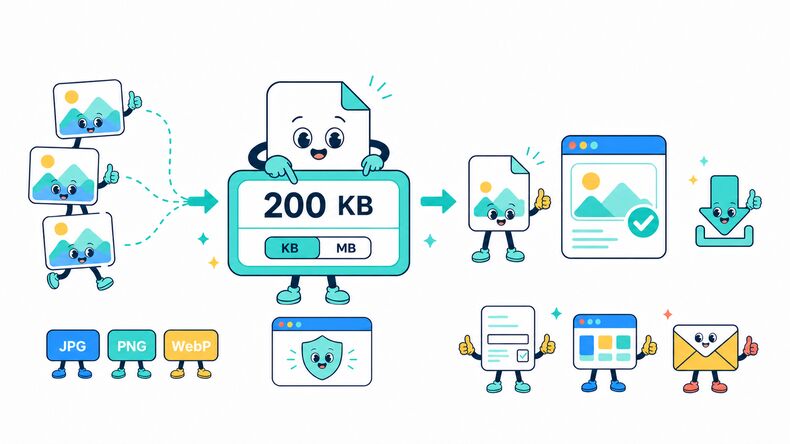
Add Your Images
Select JPG, JPEG, PNG, or WebP images from your device, choose an entire folder, or drag and drop multiple files into the browser.

Set the Target Size and Format
Enter the required file size, choose KB or MB, then keep the original format or select JPG, JPEG, PNG, or WebP for the output.

Compress and Download
Start compression, review the resulting file size and image preview, then download results individually or save the completed batch as a ZIP file.
Resize Image to KB or MB for Upload Limits
When a website sets a maximum file size, enter the required limit in KB or MB instead of repeatedly changing a quality slider. The selected value acts as a target ceiling, so the resulting file may be smaller than the number entered.
Process JPG, JPEG, PNG, and WebP images individually or in bulk, including batches of 300+ files or an entire folder, directly in your browser. Keep the original format or choose another supported format, compare each result with the original, and download files individually or as a ZIP file.
Why Use CompressFly to Resize Images to KB or MB Online?
Smart Target-Size Compression
Resize images to a selected KB or MB limit while keeping as much visible detail as the file-size requirement allows.
Local Browser Processing
Image compression runs directly in your browser for fast processing, with no software installation required.
Multiple Image Format Support
Compress JPG, JPEG, PNG, and WebP images while keeping the original format or choosing another supported format for the output.
Before-and-After Preview
Compare images before and after processing, then review output quality and file size before downloading.
Private & Secure
Your images never leave your device. All target-size compression happens locally, with no uploads to a server.
Free Access
Resize images to a target KB or MB size without signing up, installing software, or entering credit card details.
Resize Image to KB or MB FAQ
How do I compress an image to a specific KB or MB size?
Compress an image to a specific KB or MB size in three steps: 1. Enter the target file size, select KB or MB, and choose the output format. 2. Upload or drag and drop one or more supported images. 3. Start compression, review the results, and download files individually or save the completed batch as a ZIP file.
Can I compress an image to a target KB or MB size for free?
Yes. It is free to use, with no daily limits or watermarks. No account or credit card is required.
Will the output file be exactly the KB or MB size I enter?
The entered value is treated as a maximum file-size limit, so the completed image may be smaller than the selected target. The final size depends on the image format, dimensions, and visual content.
Does compressing reduce image size without losing quality?
Compression can reduce image size with little or no visible quality loss, but the result depends on the original image and selected target. Very small KB limits may require stronger compression or reduced pixel dimensions, making quality changes more noticeable. Review the preview before downloading.
Does resizing an image to KB or MB change its pixel dimensions?
Not always. The tool first reduces file size through compression. For very small targets, it may reduce pixel dimensions when compression alone is not enough.
What image formats can I compress to a target file size?
You can add JPG, JPEG, PNG, and WebP images. Keep the original format or choose JPG, JPEG, PNG, or WebP for the compressed output.
Can I compress images to the same KB or MB limit in bulk?
Yes. Add images individually or select an entire folder, apply the same target size and output format, then download results individually or save the completed batch as a ZIP file. Resulting file sizes can differ because every image contains different visual data.
Are there any limits when resizing images to KB or MB?
No. You can process as many supported images as you need, with no maximum file size or daily limits. Very large images or batches may take longer depending on your device.
What is the difference between KB and MB?
KB is suited to smaller upload limits, while MB is used for larger files. In this tool, 1 MB equals 1,024 KB.
Are my images uploaded to a server during compression?
No. Image compression runs locally in your browser, so your files remain on your device and are not uploaded to a server.