
How to Compress a GIF Online in 3 Steps
Follow these three simple steps to compress animated GIF files individually or in bulk. Adjust image quality, review the results, and download one GIF or save all files in a ZIP file.

Add GIF Files
Select GIF files from your device, choose a folder, or drag and drop multiple animations into the browser.

Choose Image Quality
Set the image quality level. Lower values generally create smaller GIF files, while higher values retain more color and visual detail.

Compress and Download
Start compression, compare the result with the original, then download one GIF or save the completed batch as a ZIP file.
How Does the CompressFly GIF Compressor Work?
The CompressFly GIF compressor lets you compress animated GIF files directly in your browser. Adjust the image quality to reduce file size while keeping the output animated. Your GIF files are processed locally, individually or in bulk, and are not uploaded to a server.
What "in your browser" means
- No GIF files are sent to a server
- No remote storage
- Compression runs locally on your device
- Compressed GIF files are downloaded directly from your browser
Free Bulk GIF Compressor Online
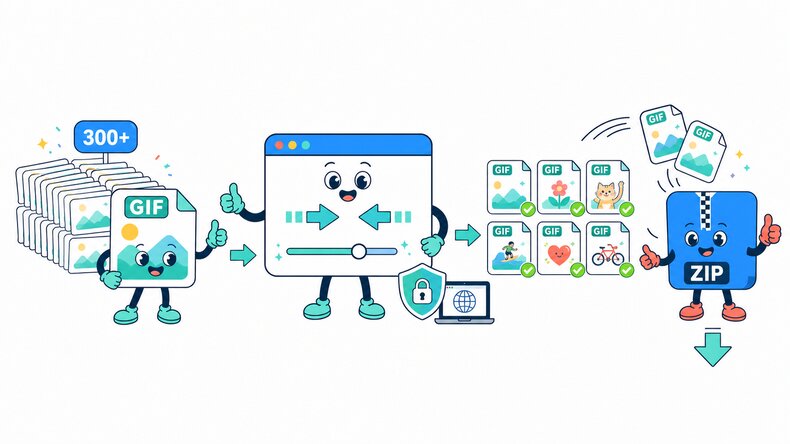
Compress 300+ animated GIF files at once with our free bulk GIF compressor. Apply the same image quality to the entire batch, review the compressed results, and download all finished GIFs in a ZIP file.
Everything runs locally in your browser, so your GIF files remain on your device and are not uploaded to a server. Compress GIF files individually or in bulk with no signup or software installation.
Why Use CompressFly to Compress Animated GIF Files?
Reduce animated GIF file size for websites, messages, uploads, and sharing while keeping control of the visible result.
Simple Quality Control
Use one image quality slider to balance a smaller GIF against the color and detail you want to retain.
Animated GIF Output
Compress animated GIF files without converting the finished result into a still image or another format.
Bulk GIF Compression
Add multiple GIF files or a folder, apply the same quality setting, and process the batch together.
Private & Secure
Your GIF files remain on your device. Compression runs locally in your browser, with no uploads to a server.
Before-and-After Review
Check the compressed GIF preview and file size before downloading the result.
Free Access
Use the GIF compressor without signing up, installing software, or entering payment details.
Related GIF Tools
GIF Compressor FAQ
How do I compress a GIF online?
Compress a GIF online in three steps: 1. Select or drag and drop one or more GIF files into the browser. 2. Choose the image quality, then click “Compress.” 3. Preview the animated results and download files individually or save the completed batch as a ZIP file.
Is the GIF compressor free to use?
Yes. It is free to use, with no daily limits. No registration or credit card is required.
Does the GIF compressor preserve animation?
Yes. The compressed output remains an animated GIF rather than being converted into a still image.
Does compressing an animated GIF reduce quality?
It can. Lower image quality can reduce the number of visible colors or fine details to create a smaller file. Preview the result before downloading to make sure the animation still looks suitable.
What image quality should I use when compressing a GIF?
Start with the default 85% quality, then lower it gradually if you need a smaller GIF. Higher quality retains more color and visual detail, while lower quality generally produces a smaller file. Preview the result before downloading.
What is the difference between compressing and resizing a GIF?
Compressing a GIF reduces its file size by changing image quality while keeping the original pixel dimensions. Resizing changes the GIF’s width and height. Use the Resize GIF tool when you need different dimensions.
Does GIF compression change animation speed?
The image quality control does not intentionally change frame timing. To make an animation faster or slower, use the Change GIF Speed tool.
Can I compress multiple GIF files at once?
Yes. Add GIF files individually or select an entire folder, apply the same image quality, then download results individually or save the completed batch as a ZIP file.
Are there any limits on GIF compression?
No. You can compress as many GIF files as you need, with no maximum file size or daily limits. Very large GIF files or batches may take longer depending on your device.
Are my GIF files uploaded to a server?
No. GIF compression runs locally in your browser, so your files remain on your device and are not uploaded to a server.