
How to Convert JXL to PNG Online
Follow these three simple steps to convert JPEG XL images to PNG online. No software installation required.

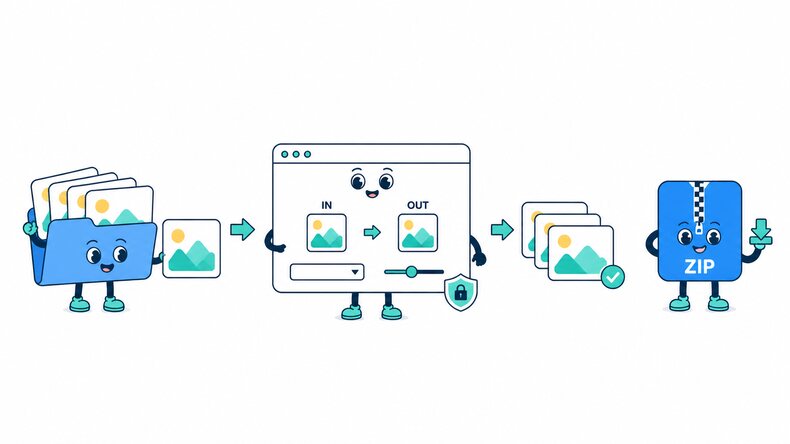
Add JXL Images
Select JPEG XL (.jxl) images from your device, choose a folder, or drag and drop your files into the converter.

Convert to PNG
Keep PNG selected as the output format, then start the conversion.

Preview and Download
Review each PNG image and its file size, then download the results individually or together as a ZIP file.
How Does the JXL to PNG Converter Work?
The CompressFly JXL to PNG converter reads your JPEG XL images and creates PNG files directly in your browser. Unlike online converters that require file uploads, CompressFly handles image conversion with modern browser technology. No files are sent to a server: everything is processed locally, individually or in bulk. Smart image conversion makes changing formats simple and free, with no signup required.
What "in your browser" means
- Your JXL files are not uploaded to a server
- Conversion runs locally on your device
- Completed PNG files are downloaded directly from your browser
Bulk JXL to PNG Converter
Convert 300+ JXL images to PNG in one batch. Add JPEG XL files or select an entire folder, and download all completed PNG files together as a ZIP file.
Bulk JXL to PNG conversion runs directly in your browser. No account, credit card, or software installation is required.
Why Use CompressFly to Convert JXL to PNG?
Fast JXL to PNG Conversion
Convert JXL images to PNG directly in your browser without waiting for files to upload to or download from a server.
Batch JXL to PNG Conversion
Convert 300+ JXL images to PNG at once, then download the completed batch as a ZIP file.
No Software Installation
Use the JXL to PNG converter in your browser without installing desktop software or plugins.
Easy to Use
Add JXL files, start the conversion, then review and download the PNG results in a few straightforward steps.
Preview Before Downloading
Review each converted PNG image and its output file size before downloading it to your device.
Private & Secure
Your JXL files are processed locally in your browser and are not uploaded to a server.
Related PNG Conversion Tools
JXL to PNG Converter FAQ
How do I convert JXL to PNG online?
Convert JXL to PNG online in three steps: 1. Add your JPEG XL (.jxl) files or select an entire folder. 2. Keep PNG selected as the output format and start the conversion. 3. Preview the PNG results, then download them individually or together as a ZIP file.
Is the JXL to PNG converter free?
Yes. The JXL to PNG converter is free to use. No registration or credit card is required.
What is a JXL file?
A JXL file is an image saved in the JPEG XL format. If an app or image editor cannot open .jxl files, converting to PNG gives you a widely supported image format.
Can I convert multiple JXL images to PNG at once?
Yes. Add multiple JXL images or select an entire folder, convert them to PNG together, and download the completed files as a ZIP file.
How to convert JXL to PNG without losing quality?
Choose the highest possible output quality setting.
Is there a file size limit, and are my JXL files uploaded?
Your JXL files are processed locally in your browser and are not uploaded to a server, so there is no server upload limit. The practical limit depends on your device's available memory and processing power, especially for very large images or batches.